
Starter
For testing and side projects
$9.99/ month
about $0.17 per clip
AI video clips for YouTube Shorts, Reels and TikTok
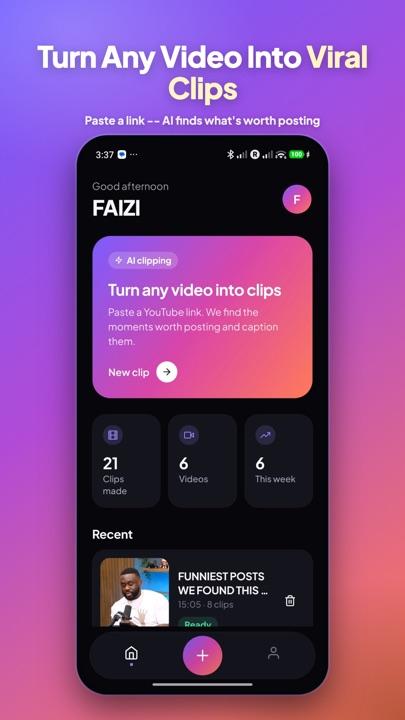
Paste a YouTube link. ClipMint's AI finds the moments worth posting and turns them into vertical, captioned clips in minutes, with no editing skills needed.
Also on Google Play · See pricing
10 free clips to start · Android app · No watermark
English · Hindi · Urducaptions that read right to left where needed
9:16 · 4:5 · 1:1ready for Shorts, Reels and TikTok
Saved to your phoneour server keeps no library of your clips
How it works
Step 1
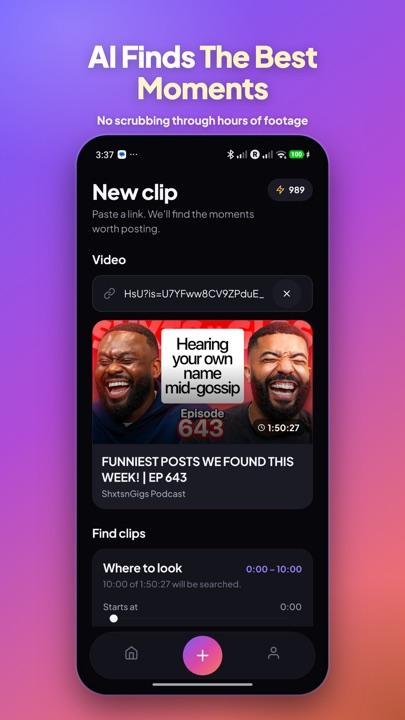
Drop in a YouTube link, or pick a video from your phone. Choose a time range if you only want part of it.
Step 2
ClipMint reads the speech, picks the moments that hook a viewer, and adds a title and posting copy for each.
Step 3
Each clip comes out in 9:16, 4:5 or 1:1, with word-by-word captions, ready to post in minutes.
Features
Every option is there when you want it, and the defaults already look good.
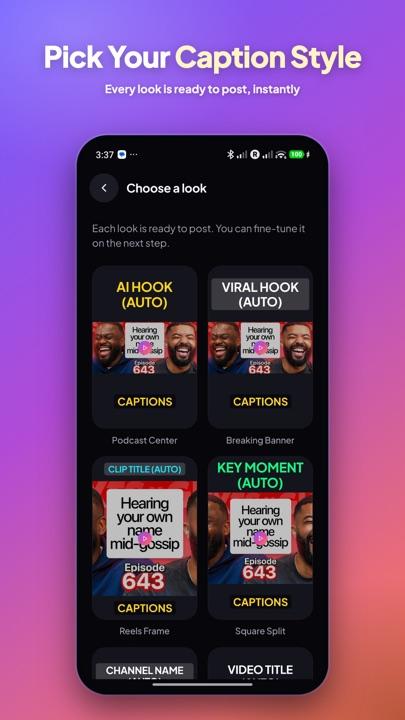
Captions highlight each word as it is spoken. Pick the colour, size and position that suits your brand.
Your video is reframed to 9:16, 4:5 or 1:1. A facecam is found automatically, so the speaker stays in shot.
Add a title from the clip, the video, your own text or the channel name, in a style that stops the scroll.
Every clip comes with a YouTube-style title, a short description and hashtags, ready to paste.
Optional silence removal keeps clips tight and watchable without you touching a timeline.
Clips are saved to your phone. Our server deletes its copy once your phone has them.
In the app
Pricing
Start with 10 free clips. Monthly plans include clips every month and no ads. Packs give you clips that never expire.
For testing and side projects
$9.99/ month
about $0.17 per clip
Most popular for YouTubers and podcasters
$19.99/ month
about $0.10 per clip
For agencies and high-volume channels
$49.99/ month
about $0.08 per clip
One-time packs never expire, so there is no monthly commitment.
One-time purchase · never expires
$14.99about $0.30 per clip
Popular pack · never expires
$34.99about $0.23 per clip
FAQ
Yes, to start. Every new account gets 10 free clips. On Android you can also watch short ads to earn free clips, or buy a one-time pack or a monthly plan for more.
One credit is one finished clip. A job that makes 3 clips uses 3 credits. If a clip fails to render, its credit is given back to you automatically.
Public YouTube videos that you have the right to use, and videos you upload from your phone. A live stream can't be clipped while it is airing, but it can be clipped once it has ended.
Most jobs are ready in a few minutes. Long videos take longer, and you can start with a time range to get clips sooner.
Captions work in English, Hindi and Urdu, with auto-detection, or you can pick the spoken language yourself. Urdu is written right to left, and the captions follow that.
Download ClipMint and make your first clips free.