
Features
Everything between a long video and a post that is ready to go
ClipMint does the cutting, framing and captioning. You choose the style and the words, and the clips come back ready to post.
Finding the moments
The AI reads your video and picks what works
Best-moment picking
The AI reads the transcript and ranks the moments by how well they hook a viewer, then cuts each one at a sentence boundary.
Long videos, sensible cost
Choose a time range to clip just that part. Very long videos are sampled across their length, so jobs stay quick and affordable.
Two speakers, one frame
Podcasts and interviews can be framed for the speaker in focus, or for both speakers stacked.
Making it look good
Captions and framing that fit the platform
Word-by-word captions
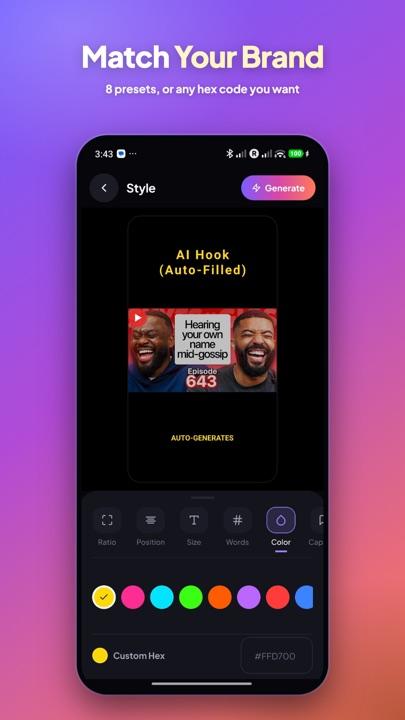
Each word lights up as it is spoken. Choose the caption style, colour, size and how many words show at once.
Vertical, 4:5 or square
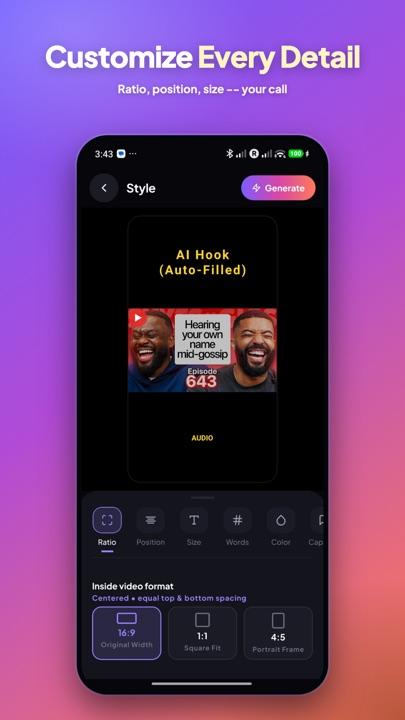
Reframe to 9:16 for Shorts, Reels and TikTok, 4:5 for feeds, or 1:1. Choose a full-frame fill, or a fit layout that keeps the whole picture.
Facecam detection
When a streamer's webcam sits anywhere on the edge of the game picture, ClipMint finds it and keeps it in the clip.
Titles and hooks
Add a title from the clip itself, the video's title, the channel name or your own words, placed where you choose.
Ready to post
Posting copy and clean cuts
English titles, descriptions and hashtags
Each clip comes with a title, a short description and hashtags in English, even when the video is in Hindi or Urdu.
Silence removal
Cut pauses longer than half a second so the clip moves faster. It is off by default, so you choose.
Languages
Captions in English, Hindi and Urdu, with auto-detection or your own pick. Urdu captions run right to left.
Yours to keep
Your clips stay on your phone
Saved to your phone
Finished clips are downloaded to your phone's own storage, under your account.
Nothing kept in the cloud
Once your phone has saved a clip, our server deletes its copy. Anything not collected is removed after 2 days.
No watermark
Your clips carry no ClipMint mark, so they look like your own.
Try it on your next video
Make your first clips free, then choose a plan when you are ready.